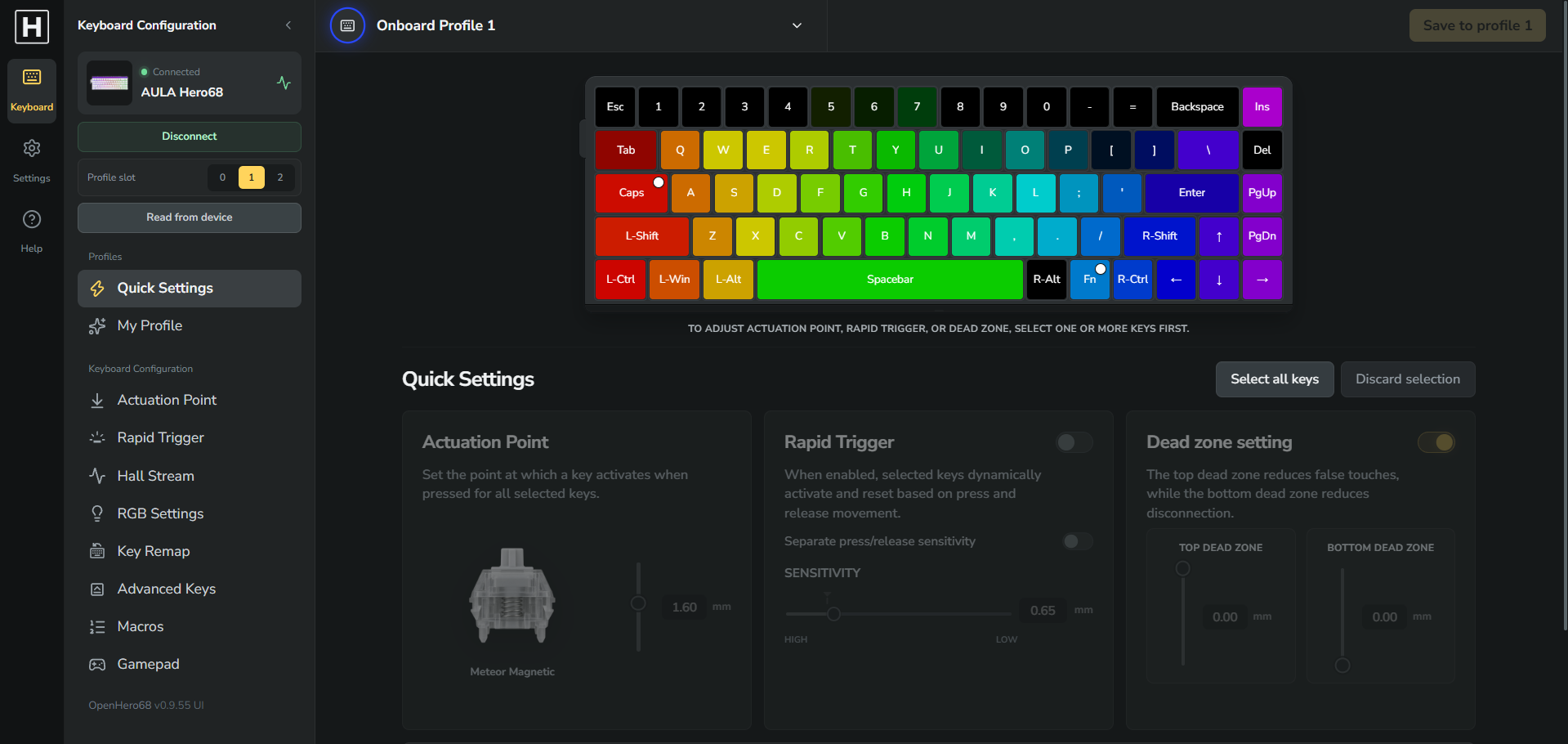
Recorded with a HERO68 and the Windows service. Press play to watch; sound is off by default.
RGB showcase
Changing effects in the web editor and showing the lighting on the physical keyboard.
Analog Gamepad
Physical key presses alongside the live Gamepad tester and Xbox input verification.
A familiar keyboard. A lot more freedom.
Make every key feel like yours.
Start with the essentials in your browser. Add the Windows service when you want to go further.
01 / CUSTOM RGB
Give your lighting a little personality.
Design your look in the web editor with composable layers, reactive ripples, trails and ambient palettes. The Windows service is required to play these effects on the keyboard, even while the browser is open.
Layer editor · Reactive effects · Saved presets
Windows service
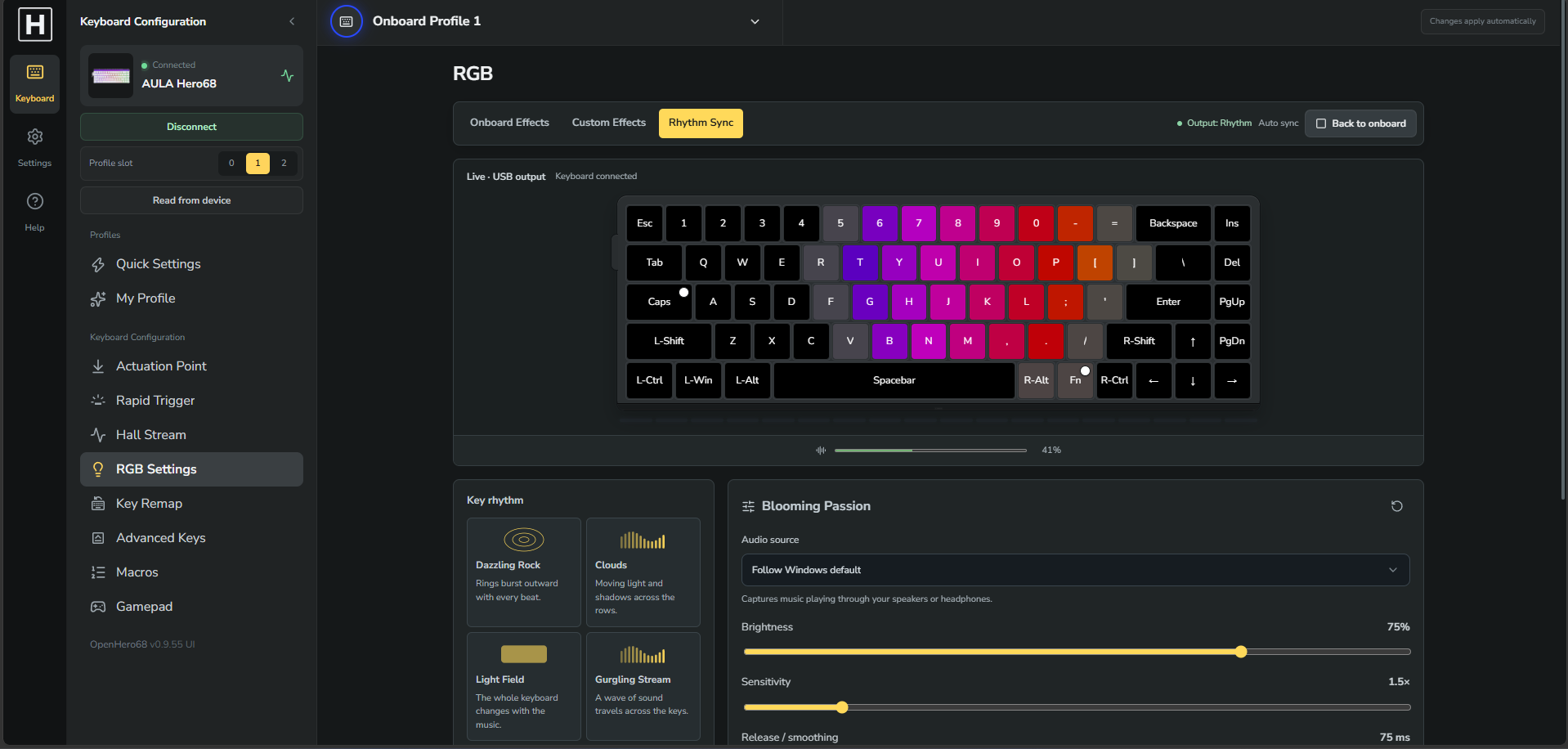
Rhythm Sync in the actual app. Click to explore the screenshot.
SYSTEM AUDIO → RGB
02 / RHYTHM SYNC
Let your music take the keys.
Seven lighting modes respond to system audio. Listen through your speakers or headphones and let the keyboard follow along.
Windows service required. System audio, no microphone.
W
ASD
ANALOG KEYS → XBOX INPUT
03 / ANALOG GAMEPAD
A new way to play, already under your fingers.
Map analog key travel to a virtual Xbox controller. Tune response curves and travel, then check your inputs in the live tester.
Windows service + ViGEmBus driver required.
And all the settings you came for.
The everyday tools, together in one configurator.
Actuation & Rapid Trigger
Per-key actuation, separate RT sensitivities and deadzones.
Remaps & advanced keys
Layers, SOCD, DKS, Mod Tap, Toggle and more.
Macros & profiles
A local macro library and three onboard profile slots.
HOW IT WORKS
Configure on the web. Run extras on Windows.
Basic keyboard settings work directly in your browser. Custom RGB, Rhythm Sync and analog Gamepad require the Windows service to run.
Use the web editor to adjust custom effects and Gamepad mappings. The Windows service plays the effects and outputs controller input; the browser alone cannot run these features.
UP AND RUNNING
Your next setup starts here.
01
Open & connect
Open the web app in Chrome or Edge. Connect your HERO68 over USB and select it in the device picker.
02
Make it yours
Adjust actuation, Rapid Trigger, key bindings and onboard lighting. Save your changes to a keyboard profile.
03
Go a little further
Install the optional Windows service for Custom RGB, Rhythm Sync or Gamepad. Gamepad also needs ViGEmBus.
↳Close other keyboard configuration apps before connecting.
COMPATIBILITY
Built and tested on HERO68.
The Windows installer and real-keyboard operation have been tested by the maintainer. The web configurator is already live.
HERO68 · Hardware tested
Have a HERO84?
Support is not confirmed yet. We’re looking for owners who would like to help test compatibility.
For actuation, Rapid Trigger, remaps, macros and onboard lighting, just open the web app in Chrome or Edge. Custom RGB, Rhythm Sync and Gamepad need the optional Windows x64 service.
Does everything work offline?
The configurator is a hosted web app. Once started, the Windows service keeps Custom RGB, Rhythm Sync and enabled Gamepad output running after you close the browser. Gamepad starts disabled whenever the service restarts.
Why might Windows show a SmartScreen prompt?
The installer does not currently have Windows Authenticode publisher signing. In-app updates verify the downloaded installer using an Ed25519-signed manifest; this is separate from Windows publisher signing. Source and build instructions are available on GitHub.
Does Rhythm Sync control the side lights?
Live Rhythm side-light output is not enabled. The side LEDs keep their onboard effect while key lighting plays. Side-light modes are available in the demo only.
Can I use Gamepad in any game?
Gamepad needs Windows x64 and the ViGEmBus driver, and the game must support Xbox controller input. Compatibility and anti-cheat policies vary by game; no approval by a game or anti-cheat provider is guaranteed.
Is this an official AULA app?
No. OpenHero68 is an independent community project based on reverse engineering. It is not affiliated with or endorsed by AULA or Wootility.
READY WHEN YOU ARE
Meet your keyboard, again.
Open the configurator, try a different feel, and make something that’s yours.